 Mudae
Mudae



 drag_indicatordrag_indicatordrag_indicatordrag_indicatordrag_indicatordrag_indicatordrag_indicatordrag_indicatordrag_indicatordrag_indicatordrag_indicatordrag_indicatordrag_indicatordrag_indicator
Image (Click on them to select them)
Select/deselect images you want to art tag by clicking on them.
Tip: You can mass art tag by clicking "Add current selection" then go to the Pic Tagging page and continue there.
Tip 2: You can see all uncredited images of the series on this page (also accessible via the contributor hub).
Select/deselect images you want to pic tag by clicking on them.
Tip: You can mass pic tag by clicking "Add current selection" then go to the Pic Tagging page and continue there.
Tip 2: You can see all images of the series using these pages: Uncredited Transistor images, Credited Transistor images or All Transistor images.
Bad images are images that you think need improvement (because of thick borders, a lot of noise etc.), not just borderless images
Select them by clicking on them
They will be sent in the #pics-that-need-a-fix channel for other users to notice. They will also be added to the Fixable Pics page after a while.
Type none to remove the description
Character/series/tag pages can be linked using the following format: [character:123456 Text] or [series:123456 Text] or [tag:123456 Text]. Replace 123456 with the ID of the character/series/tag you want to link to.
Spoilers can be added using the ||spoiler text|| syntax.
[[1954-1975]] From a terrifying force of nature representing the horrors of war, to a parental figure primed for blockbuster kaiju team-ups, Godzilla's role varied with each new Show era incarnation. [[1984-1995]] In 1984, the King of the Monsters' cinematic canon returned to its darker roots in Godzilla Returns. This raging Godzilla radiated renewed menace, with a mountainous silhouette of massive dorsal fins running from its fanged face to its longest tail yet.
Background
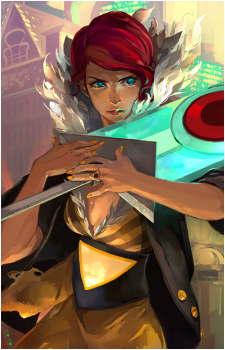
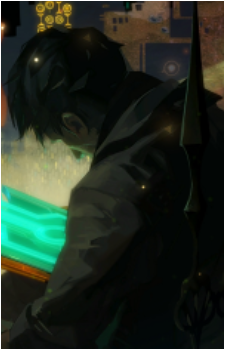
Error: Subject background data corrupted during integration. Reason: Unknown.
Exceptions
Recovered data indicates Subject had no Selections on record. There is a remote possibility (less than 5%) that this information is inaccurate due to data corruption. In the more likely event that the information is valid, Subject by definition cannot be matched with the census data, as 0% of Cloudbank willingly chose nonselection.
Disappearance
Timestamp on Subject's integration coincides with timestamp of previous authenticated User relinquishing access and control. Although Subject's trace data was corrupted during integration, nonetheless such data has it's uses, and consequently derived a suitable Function. Subject's trace data remains disjointed and cannot be recovered.
Name can be something like "Site", "Twitch"... properly capitalized.
All links must be official, no fan pages or similar.
If the character you want to add doesn't share a series with this character, you can type its exact name and select "Add [name]".
Click on a character after selecting it to spoiler it.
If a single character is selected, the current relation will be overwritten
If multiple characters are selected, the relation will be added to all of them
Up to 5 relations per character. Spoilers are not allowed
Use the button below to remove all the related characters of the character instead.
Background Error: Subject background data corrupted during integration. Reason: Unknown. Exceptions Recovered data indicates Subject had no Selections on... [Read more]
English: Logan Cunningham
Background
Error: Subject background data corrupted during integration. Reason: Unknown.
Exceptions
Read more
Recovered data indicates Subject had no Selections on record. There is a remote possibility (less than 5%) that this information is inaccurate due to data corruption. In the more likely event that the information is valid, Subject by definition cannot be matched with the census data, as 0% of Cloudbank willingly chose nonselection.
Disappearance
Timestamp on Subject's integration coincides with timestamp of previous authenticated User relinquishing access and control. Although Subject's trace data was corrupted during integration, nonetheless such data has it's uses, and consequently derived a suitable Function. Subject's trace data remains disjointed and cannot be recovered.